

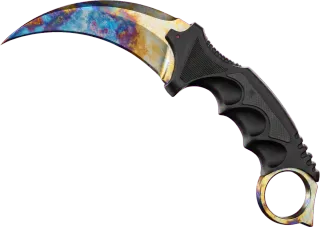

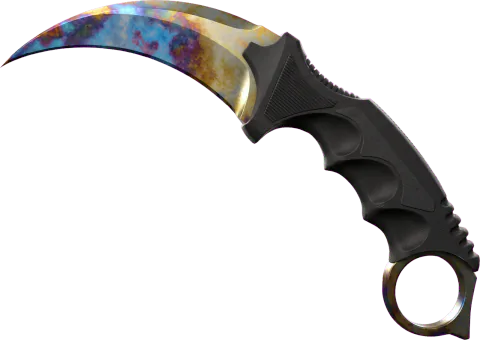
★ Butterfly Knife
Slaughter
€998.03
- Rarity
- Covert
- FloatFT 0.190379
- Pattern seed
- 490
- Stickers
No stickers on this one
The storm is dropping
Support hours: 10:00 AM - 6:00 PM (GMT+0)
32,426 skins listed18+
Every skin in the stash shows its float and stickers up front. Pay by card for the one you pick and accept it in Steam.
Four marks on the wall between spawn and the site. That is the whole way to a skin in your Steam inventory.
T Spawn
Log in on the official Steam page. There is no separate account and no password to create here.
Long Doors
Paste your Steam trade URL once, so the trade bot knows where to send what you buy.
The Pit
Open a listing, check the order summary and pay on the secure payment page.
A Site
Open Steam and accept the trade offer within about 15 minutes. The skin is then yours.
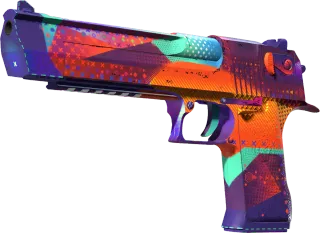
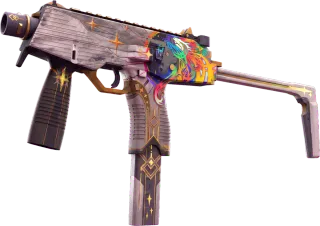
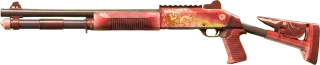
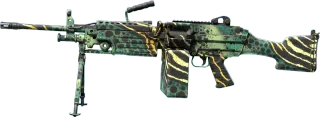
Each crate holds one kind of item. The number on the lid is how many are listed right now.
One live listing, read the way the guide reads a cargo tag. Every card on the market shows these facts before you buy.
★ Butterfly Knife
€998.03
No stickers on this one

Your Steam trade URL
Every skin you buy is sent to this link as a Steam trade offer. You only add it once.
You log in on the official Steam page. Your Steam password never reaches Oxi Skins.
Card details go on a hosted payment page from an authorized provider, with 3D Secure.
The checkout lists the item, its float and the total before the payment page opens.
Nothing lands in your inventory until you accept the trade offer in Steam.
Every message to support gets a reference number you can quote in any follow-up.
Oxi Skins is for players aged 18 and over. You confirm it once after your first sign-in.
Two things: a Steam account and a saved Steam trade link. You sign in on the official Steam page, so your Steam password never reaches Oxi Skins. The trade link tells our trade bot where to send the skins you buy.
Trading itself runs on Steam, so Steam's own rules and trade protection apply. Read the Steam policy if you want the details. Oxi Skins can't change those rules.
Oxi Skins does one thing: it lets you buy the exact CS2 skin you want. Browse by category, open a listing to see its float, pattern, phase and stickers, and press "Buy" when it's the one.
There is no wallet, no deposit and no subscription. You pay for the item you picked, at the moment you buy it.
Sign in with Steam, save your trade link and open the market. Pick a skin, press "Buy" and check the order summary. From there you go to the secure payment page and pay by card.
When the payment clears, our trade bot sends you a Steam trade offer. Accept it within about 15 minutes and the skin is in your inventory.
You can pay with Visa or Mastercard. The payment runs on a hosted page from an authorized third-party payment provider, with 3D Secure verification. Oxi Skins acts as merchant of record.
Your card number is typed on the provider's page, not on ours, and each payment covers exactly one item.
Delivery uses Steam's own trading system. The bot sends an offer to the trade link in your profile, and you accept it in the Steam app or in the browser.
Keep your trade link current and make sure your account is able to trade. If a paid skin can't be delivered, for example because the offer expired or the item became unavailable, write to support@oxiskins.com. Support handles the case, and refunds go back to your original payment method.
Two skins with the same name can look very different. Float sets how worn the finish looks, and lower is cleaner. The pattern changes where the paint lands, which matters a lot on some knives and rifles.
Stickers, StatTrak™ counters and souvenir tags change both the look and the value. Check them on the listing before you buy.
The market covers tradable Counter-Strike 2 items: knives, gloves, rifles, pistols, SMGs, shotguns, machine guns and agents. Filter by type, quality, rarity, phase, stickers and price to narrow it down.
Stolen items, items from compromised accounts and items under an ownership dispute are not allowed on the platform.
You sign in through Steam, pages are encrypted, and card payments go through a hosted page with 3D Secure. Your Steam password and your card number never pass through Oxi Skins.
You also see the full order summary before paying, and nothing reaches your inventory until you accept the trade offer yourself. Keep Steam Guard on for your own account as well.
The Steam Market only takes Steam Wallet funds, which you have to add to your Steam account first. On Oxi Skins you pay for the specific skin by card at checkout.
You also get a CS2-only market with float and pattern shown up front, a clear summary before payment and delivery straight to your inventory as a trade offer.
Sign in with Steam, add your trade link, choose a skin, pay by card and accept the offer. That's the whole process, every time.
Whether it's a budget rifle skin or a knife you have wanted for months, open the market and find it.